
Direct system-audio routing
Choose System audio in SONAVECT, then select SONAVECT channels 1–2 as the stereo input inside your software sampler or DAW.
Route audio playing on your Mac directly into a software sampler or desktop DAW that accepts an audio input. Audio starts automatically when the routing driver and audio devices are ready.
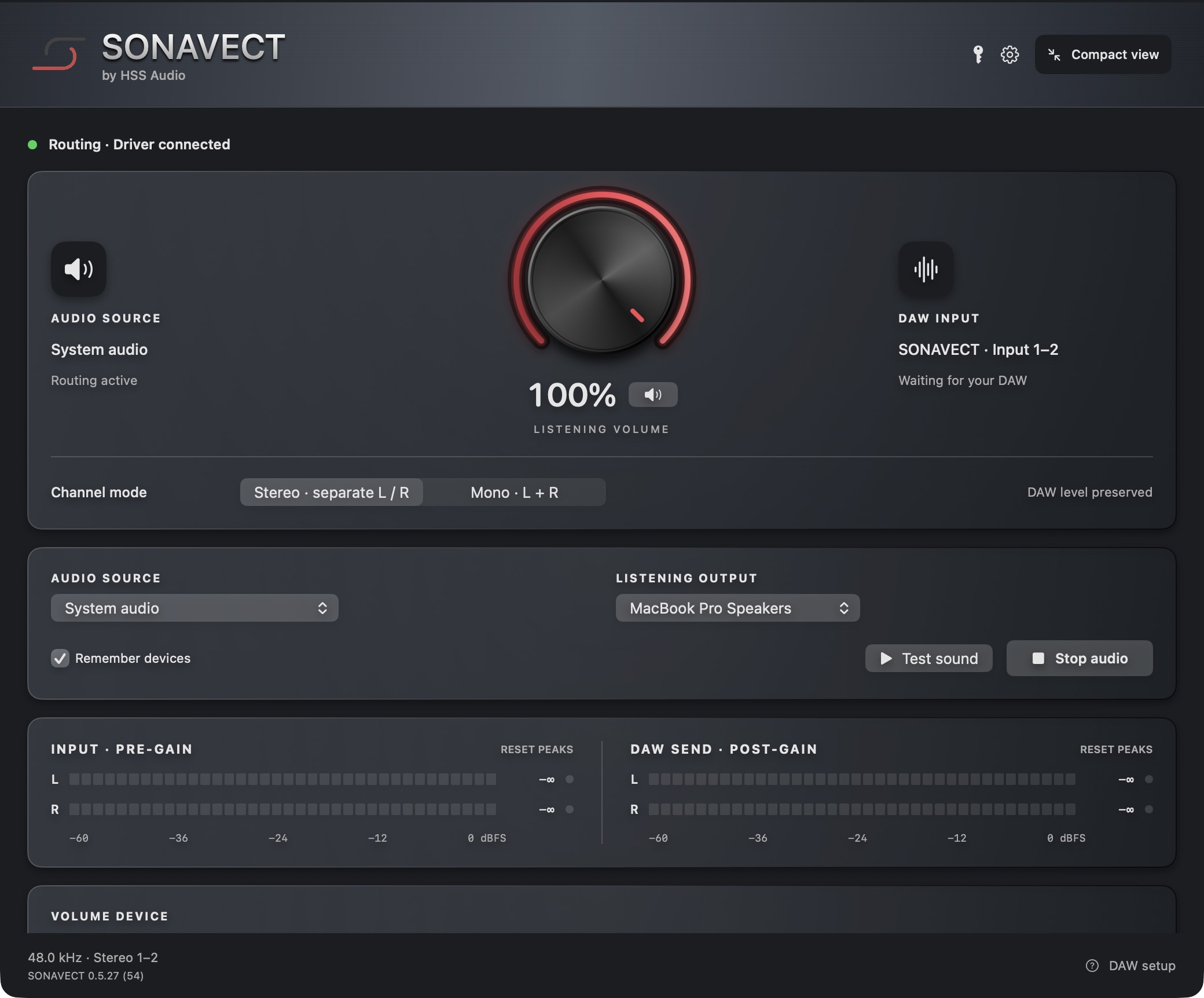
SONAVECT keeps the path simple: system audio comes in, a clean stereo signal goes out, and your sampling workflow keeps moving.
Choose System audio in SONAVECT, then select SONAVECT channels 1–2 as the stereo input inside your software sampler or DAW.
Responsive input and output meters show exactly where audio is moving before you hit sample.
Adjust your listening volume with one clear control while preserving the level sent to your DAW.
Keep your DAW output on your speakers or audio interface while SONAVECT handles the incoming route. Clear monitoring, without a maze of virtual devices.
A 24-second look at SONAVECT routing audio into a desktop DAW.
Recorded with SONAVECT 0.5.24. Interface may vary by version. Full audio routing requires a supported Mac.
No patch cables, aggregate-device gymnastics, or oversized routing matrix.
Install SONAVECT and activate your Mac, then choose System audio as your source. Select your speakers or audio interface as the listening output.
In your software sampler or DAW, select SONAVECT on channels 1–2.
Audio starts automatically when the driver and devices are ready. Set a comfortable listening volume; your DAW level stays unchanged.
SONAVECT works with desktop DAWs and software samplers that can accept a stereo audio input.
Get SONAVECT ↗● Requires an Apple Silicon Mac running macOS 13 or later and a desktop DAW or software sampler. Intel Macs, standalone hardware samplers, and mobile devices are not supported.
SONAVECT turns the sound already playing on your Mac into a clean, visible stereo source inside your sampler.
SONAVECT 0.5.28 (55) · $19 one-time purchase, plus applicable tax. No subscription. HSS Audio email support included.
SONAVECT is intentionally focused. Here is what it does, what it does not do, and how it fits your setup.
Contact HSS Audio ↗It creates a clear stereo route from audio playing on your Mac to a DAW or desktop software sampler that can accept audio input.
Yes. Choose System audio in SONAVECT, then choose SONAVECT channels 1–2 as the input inside your software sampler. Keep the sampler output on your speakers or audio interface.
Yes. SONAVECT can be used with desktop DAWs and samplers that allow you to select a stereo audio input.
No. It stays focused on routing, metering, listening volume, and output selection. Recording and processing remain inside your software sampler or DAW.
Check that the same source is not being monitored twice. Keep your DAW output on your speakers or audio interface, and use one intentional monitoring path.
SONAVECT 0.5.28 (55) starts audio automatically on launch or reopen when this Mac is authorized and the driver and selected devices are ready. Use Stop audio to pause routing during a session, and Start audio to resume.
Yes. The website installer includes the SONAVECT app, routing driver, and licensing service. Installation requires administrator permission and may require a restart. Activate your Mac with the license key provided after purchase.
Your purchase includes a license key for one Mac at a time. Check activation in Settings > License > Authorization status. Deactivate before moving the license to another Mac. Internet access is required for activation and periodic license checks; contact support if your old Mac is unavailable.
The first release is for macOS. Windows is planned for a later release.